若依使用记录
代码生成功能
生成前端需要的api、views文件,后端需要的controller、mapper、service、mapper.xml文件
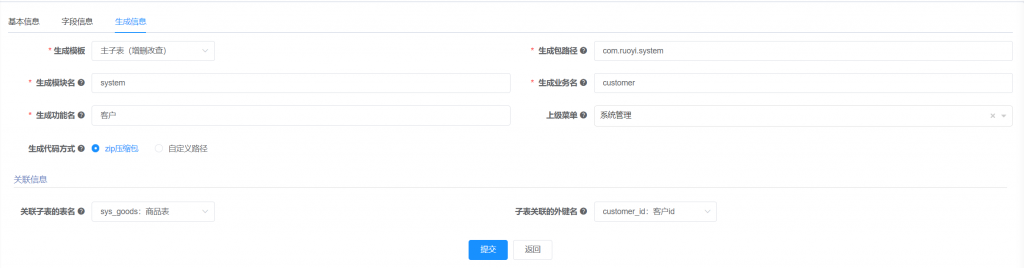
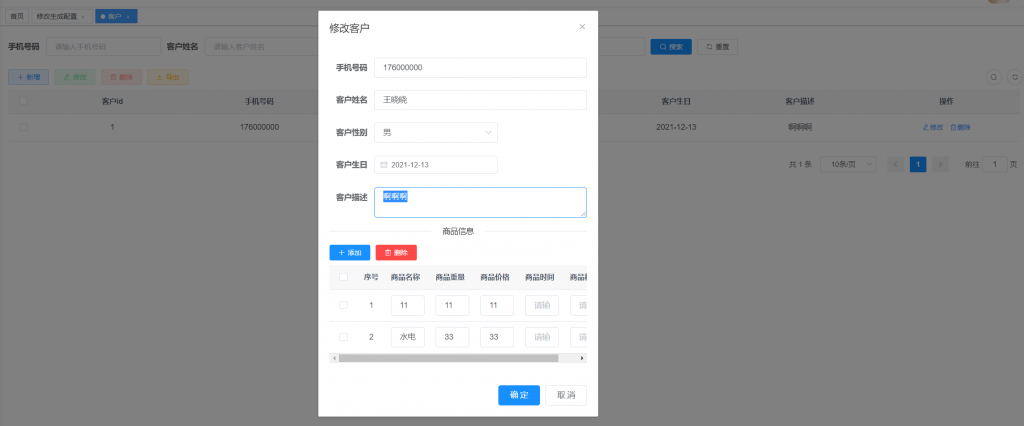
主子表 (需要勾选”字表关联的外键名”)
sys_customer
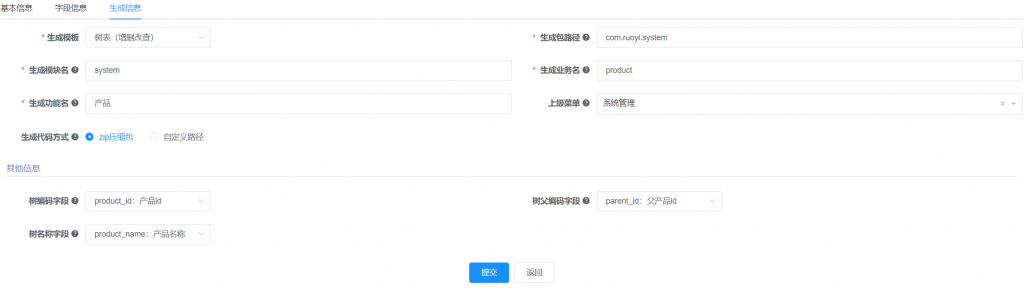
树表(需要”选择树父编码字段”)

下拉框(单选框)示例:
字段类型 char(1)
字段描述 性别
Java类型 String
显示类型 单选框
字典类型 需要关联
重新运行后端代码时,如果找不到类或者包,可以尝试下”maven clean”
自定义创建菜单示例
-- 菜单 SQL
insert into sys_menu (menu_name, parent_id, order_num, path, component, is_frame, is_cache, menu_type, visible, status, perms, icon, create_by, create_time, update_by, update_time, remark)
values('拖拽', '3', '1', 'test', 'system/drag/index', 1, 0, 'C', '0', '0', 'system:test:list', '#', 'admin', sysdate(), '', null, '拖拽菜单');

-- 按钮父菜单ID
SELECT @parentId := LAST_INSERT_ID();

-- 按钮 SQL
insert into sys_menu (menu_name, parent_id, order_num, path, component, is_frame, is_cache, menu_type, visible, status, perms, icon, create_by, create_time, update_by, update_time, remark)
values('拖拽查询', @parentId, '1',  '#', '', 1, 0, 'F', '0', '0', 'system:test:query',        '#', 'admin', sysdate(), '', null, '');

insert into sys_menu (menu_name, parent_id, order_num, path, component, is_frame, is_cache, menu_type, visible, status, perms, icon, create_by, create_time, update_by, update_time, remark)
values('拖拽新增', @parentId, '2',  '#', '', 1, 0, 'F', '0', '0', 'system:test:add',          '#', 'admin', sysdate(), '', null, '');

insert into sys_menu (menu_name, parent_id, order_num, path, component, is_frame, is_cache, menu_type, visible, status, perms, icon, create_by, create_time, update_by, update_time, remark)
values('拖拽修改', @parentId, '3',  '#', '', 1, 0, 'F', '0', '0', 'system:test:edit',         '#', 'admin', sysdate(), '', null, '');

insert into sys_menu (menu_name, parent_id, order_num, path, component, is_frame, is_cache, menu_type, visible, status, perms, icon, create_by, create_time, update_by, update_time, remark)
values('拖拽删除', @parentId, '4',  '#', '', 1, 0, 'F', '0', '0', 'system:test:remove',       '#', 'admin', sysdate(), '', null, '');

insert into sys_menu (menu_name, parent_id, order_num, path, component, is_frame, is_cache, menu_type, visible, status, perms, icon, create_by, create_time, update_by, update_time, remark)
values('拖拽导出', @parentId, '5', '#', '', 1, 0, 'F', '0', '0', 'system:test:export', '#', 'admin', sysdate(), '', null, ''); |
执行 bin/package.bat 生成jar包运行报错:
[ERROR] Failed to execute goal org.apache.maven.plugins:maven-compiler-plugin:3.1:compile (default-compile) on project ruoyi-common: Compilation failure
[ERROR] No compiler is provided in this environment. Perhaps you are running on a JRE rather than a JDK?
查看下jdk是否正确配置。
子模块引入父模块unknown问题
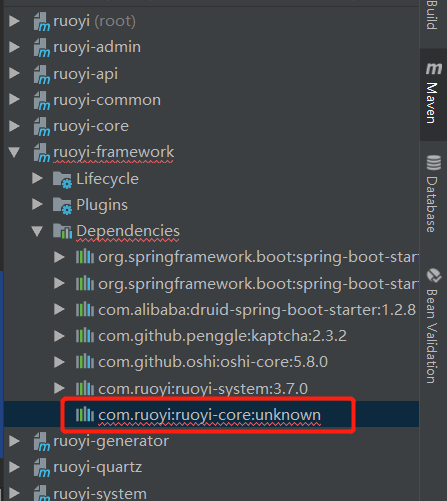
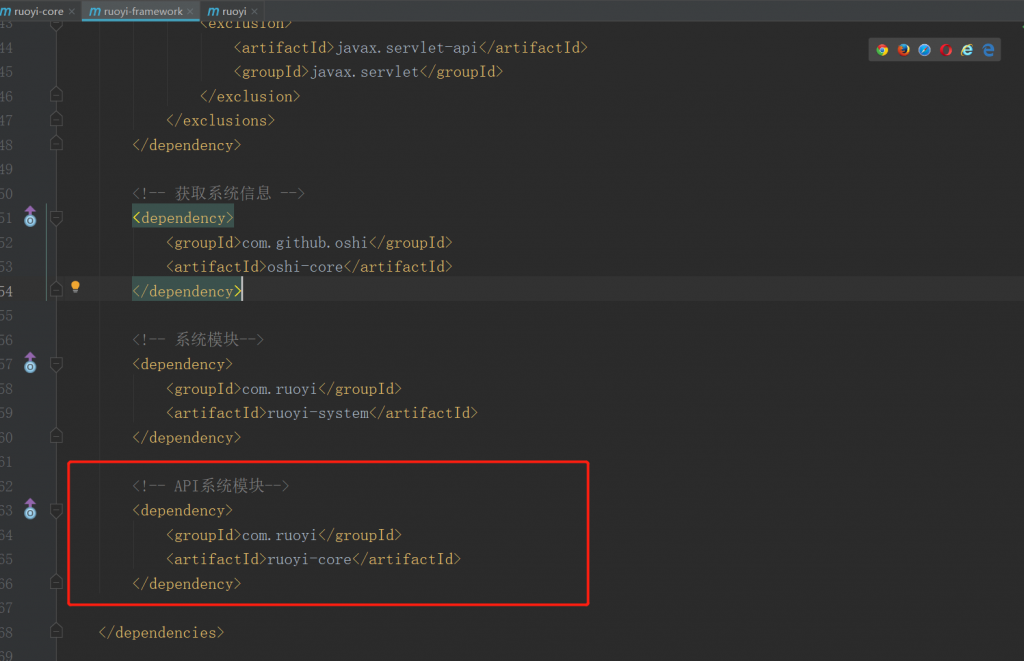
在父模块中添加dependencyManagement即可
    <dependencyManagement>
		</dependencies>
            <dependency>
                <groupId>com.ruoyi</groupId>
                <artifactId>ruoyi-core</artifactId>
                <version>${ruoyi.version}</version>
            </dependency>

            <!-- 通用工具-->
            <dependency>
                <groupId>com.ruoyi</groupId>
                <artifactId>ruoyi-common</artifactId>
                <version>${ruoyi.version}</version>
            </dependency>

        </dependencies>
</dependencyManagement> |
@Order on WebSecurityConfigurers must be unique.
多处继承WebSecurityConfigurerAdapter
解决方法:
@Order(90)
public class SecurityApiConfig extends WebSecurityConfigurerAdapter
{} |
上传图片不显示问题
方式一:指向地址
location /profile/ {
    proxy_pass http://127.0.0.1:8080/profile/;
} |
方式二:指向目录,对应后台`application.yml`中的`profile`配置
location /profile/
{
    alias /home/ruoyi/uploadPath/;
} |
参考:https://blog.csdn.net/qq_19309473/article/details/121965407
vue页面刷新404问题
    location / {
        try_files $uri $uri/ /index.html$args;
} |
nginx配置示例
server
{
    listen 80;
	listen 443 ssl http2;
    server_name sijizhaopinadmin.wanhedashuju.com;
    index index.php index.html index.htm default.php default.htm default.html;
    root /www/webs/sijizhaopinadmin.wanhedashuju.com;

    #SSL-START SSL相关配置,请勿删除或修改下一行带注释的404规则
    #error_page 404/404.html;
    ssl_certificate    /www/server/panel/vhost/cert/sijizhaopinadmin.wanhedashuju.com/fullchain.pem;
    ssl_certificate_key    /www/server/panel/vhost/cert/sijizhaopinadmin.wanhedashuju.com/privkey.pem;
    ssl_protocols TLSv1.1 TLSv1.2 TLSv1.3;
    ssl_ciphers EECDH+CHACHA20:EECDH+CHACHA20-draft:EECDH+AES128:RSA+AES128:EECDH+AES256:RSA+AES256:EECDH+3DES:RSA+3DES:!MD5;
    ssl_prefer_server_ciphers on;
    ssl_session_cache shared:SSL:10m;
    ssl_session_timeout 10m;
    add_header Strict-Transport-Security "max-age=31536000";
    error_page 497  https://$host$request_uri;

    #SSL-END

    #ERROR-PAGE-START  错误页配置,可以注释、删除或修改
    #error_page 404 /404.html;
    #error_page 502 /502.html;
    #ERROR-PAGE-END

    #PHP-INFO-START  PHP引用配置,可以注释或修改
    include enable-php-00.conf;
    #PHP-INFO-END

    #REWRITE-START URL重写规则引用,修改后将导致面板设置的伪静态规则失效
    include /www/server/panel/vhost/rewrite/sijizhaopinadmin.wanhedashuju.com.conf;
    #REWRITE-END

    #禁止访问的文件或目录
    location ~ ^/(\.user.ini|\.htaccess|\.git|\.svn|\.project|LICENSE|README.md)
    {
        return 404;
    }

    location / {
        try_files $uri $uri/ /index.html$args;
    }

    location /prod-api/profile/
    {
        alias /www/webs/sijizhaopin/uploadPath/;
    }

    location /prod-api {
      rewrite  ^.+prod-api/?(.*)$ /$1 break;
      include  uwsgi_params;
      proxy_pass   https://sijizhaopin.wanhedashuju.com;  #api地址
    }

    #一键申请SSL证书验证目录相关设置
    location ~ \.well-known{
        allow all;
    }

    # location ~ .*\.(gif|jpg|jpeg|png|bmp|swf)$
    # {
    #     expires      30d;
    #     error_log /dev/null;
    #     access_log /dev/null;
    # }

    # location ~ .*\.(js|css)?$
    # {
    #     expires      12h;
    #     error_log /dev/null;
    #     access_log /dev/null;
    # }
    access_log  /www/wwwlogs/sijizhaopinadmin.wanhedashuju.com.log;
    error_log  /www/wwwlogs/sijizhaopinadmin.wanhedashuju.com.error.log;
} |
返回给接口图片
    public AjaxResult image(HttpServletRequest request){
        NxeSlider nxeSlider = sliderService.selectNxeSliderById(1L);
//        String basePath = request.getScheme()+"://" +
//                request.getServerName() + ":" + request.getServerPort() +
//                request.getContextPath();

        String port = serverConfig.getBeforeProxyPort();
        String[] split = serverConfig.getUrl().split(":");
        String basePath = split[0]+":"+split[1]+":"+port;
        nxeSlider.setImage(basePath + nxeSlider.getImage() );
        System.out.println(nxeSlider);
        HashMap<String, Object> map = new HashMap<>();
        map.put("sliders",nxeSlider);
        String serviceMobile = configService.selectConfigByKey("service_mobile");
        map.put("serviceMobile",serviceMobile);
        return AjaxResult.success("首页轮播图和客服电话",map);
} |